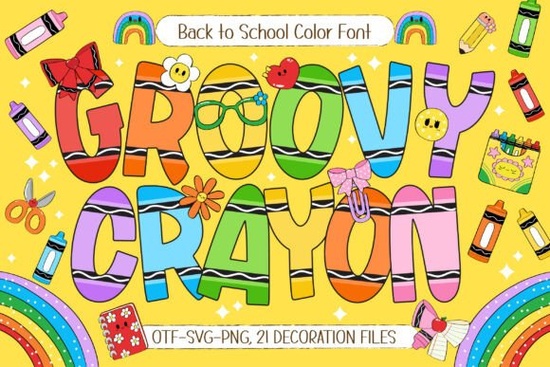
Looking for a crayon font that actually feels like a kid drew it? The Groovy Crayon Font is a hand-drawn, colorful typeface built specifically for back-to-school designs and child-friendly projects. It comes with bold, textured letters decorated with crayon-style doodle details, seven vibrant color variations, and 21 bonus school-themed doodle cliparts. If you create teacher resources, classroom décor, kids' T-shirts, or printable crafts, this font saves you hours of design work while giving your projects a bright, cheerful look.
What Makes Groovy Crayon Different From Other Playful Fonts?
Most playful or hand-drawn fonts come in a single color and require you to manually add effects, textures, or layers to get that crayon-on-paper feel. Groovy Crayon already has that built in. Each letter looks like it was colored in with a real crayon slightly uneven edges, soft texture, and bold saturation.
The seven color variations mean you can switch between different rainbow tones without spending time adjusting hues or adding gradients. For example:
- Red and orange tones work well for fall-themed classroom posters.
- Bright primary colors fit general back-to-school designs.
- Mixed rainbow palettes are great for birthday invitations or party banners.
If you also like experimenting with colorful fonts with unique orientations, Groovy Crayon pairs nicely with other creative typefaces for layered compositions.
What Can You Actually Use This Font For?
This is one of those fonts that works across a surprisingly wide range of projects. Here's a practical breakdown based on common use cases:
- Teacher resources and worksheets Headings, section titles, and labels look instantly more engaging for younger students.
- Classroom decorations Bulletin board letters, door signs, name tags, and welcome posters.
- Print-on-demand products Kids' T-shirts, tote bags, water bottles, and stickers.
- Digital products Printable planner pages, educational flashcards, and homeschool materials.
- Invitations and cards Birthday party invites, holiday cards, and thank-you notes for kids.
- Scrapbooking and DIY crafts Page titles, journaling prompts, and embellishment labels.
The included 21 school-themed doodle cliparts are a helpful bonus. Think pencils, apples, books, rulers, and backpacks small illustrations you can scatter around your layout to reinforce the back-to-school theme without hunting for separate graphics.
How Does It Work as a Color Font?
Groovy Crayon is an SVG color font, which means the colors are embedded directly in the font file. You don't need to add gradients or layer effects in your design software. Just type, and the colors appear.
That said, color fonts do have some compatibility requirements. They work well in:
- Adobe Photoshop (CC 2017 and later)
- Adobe Illustrator (CC 2018 and later)
- Silhouette Studio (Designer Edition and above)
- Procreate on iPad
Some older software or basic text editors won't render the color properly they'll show a default outline version instead. If you're unsure, check your program's color font support before purchasing.
Is Groovy Crayon Worth It for Small Businesses?
If you regularly design products aimed at kids, parents, or teachers, this font fills a specific niche that most standard fonts don't cover. Instead of spending time creating crayon-style text effects from scratch, you get ready-made typography that looks handcrafted.
For print-on-demand sellers, it's especially useful during the back-to-school season (July through September) when demand for school-themed products spikes. A single font combined with the included cliparts can generate dozens of unique designs for shirts, stickers, and posters.
If you want to explore more playful options for your font library, you might also check out some colorful groovy font styles that complement this one for broader project variety.
A Quick Comparison to Similar Fonts
While Groovy Crayon is built for kid-focused, school-related designs, it's worth noting that not every colorful font serves the same purpose. For instance, Sideways Font takes a different creative approach with rotated, playful letterforms better suited for funky posters or retro-themed projects rather than classroom materials. Choosing the right font depends on your audience and the mood you want to set.
Things to Keep in Mind Before You Buy
Here are a few honest notes based on how this font actually performs in real projects:
- Best at larger sizes. The crayon textures and doodle details look sharp on posters, banners, and T-shirts but can get muddy at very small sizes like body text.
- Color variety is fixed. You get seven preset color variations. If you need a specific brand color, you may need to adjust in your design software.
- Clipart quality is solid. The 21 doodle extras are well-drawn and match the font's style, so everything feels cohesive in a single layout.
- Check your license. Creative Fabrica offers different license types make sure the one you choose covers your intended use, especially for commercial print-on-demand.
Quick Checklist Before You Start Designing
- Confirm your design software supports SVG color fonts.
- Download and install all seven font variations.
- Review the 21 included cliparts and plan which ones fit your project.
- Test the font at your intended print or screen size.
- Pair it with a clean, simple body font for readability in multi-font layouts.
- Verify your license covers commercial use if you plan to sell products.
Next step: Open your design software, type out a sample phrase using Groovy Crayon at poster size, and see how the crayon textures look in your workflow. If it fits your style, you'll have a reliable go-to font for every back-to-school season ahead.
Explore Design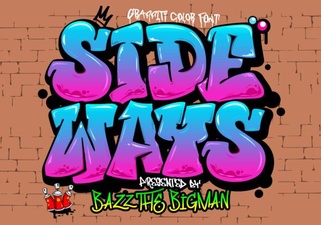 Sideways Font: Creative Typography for Unique Designs
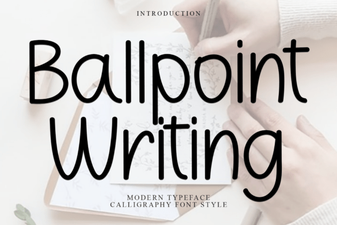 Ballpoint Writing Font: Authentic Handwritten Style for Design
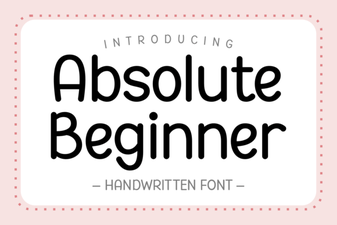 Absolute Beginner Font: a Friendly Typeface for New Designers
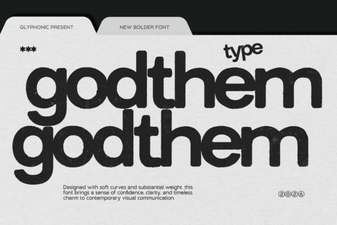 Godthem Font - Free Sans Serif Font Download
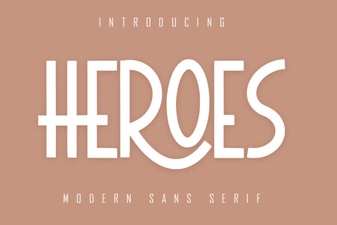 Heroes Font - Free Sans Serif Display Typeface Download
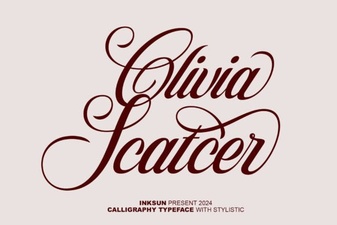 Olivia Scatcer Font: Elegant Script for Creative Designs