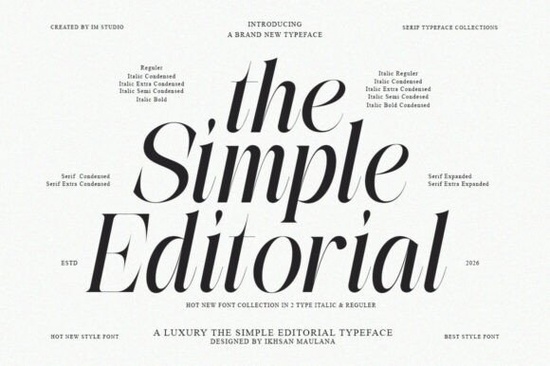
If you've been searching for a serif typeface that carries the warmth of vintage print without feeling outdated, The Simple Editorial Font is worth a serious look. It's a bold editorial serif with 15 styles 9 weights plus matching italics designed to work across magazine layouts, brand systems, luxury packaging, and more. I'll break down what it offers, who it's best for, and how it stacks up against similar options.
What kind of design projects does this serif font fit?
The Simple Editorial Font draws from the visual language of mid-century advertising, vintage publications, and iconic signage. That heritage gives it a distinct personality that works well in:
- Editorial design magazine spreads, newspaper layouts, book covers, and lookbooks
- Brand identity logos, brand guidelines, and packaging for heritage-inspired or luxury brands
- Print-on-demand quote designs, typographic posters, greeting cards, and stationery
- Web and digital hero sections, blog headers, and landing pages that need a refined serif feel
Whether you're art-directing a brand with a nostalgic tone or laying out a clean, high-end editorial piece, this typeface adapts without losing its character.
How many weights and styles are included?
You get 15 styles total: 9 carefully crafted weights ranging from whisper-thin to commanding display, each with a matching italic. That range means you can handle an entire project from delicate subheadings to bold, attention-grabbing headlines with a single font family.
Here's a quick breakdown of the weight range:
- Thin and Thin Italic subtle, elegant body text or captions
- Light through Medium clean, readable for longer passages
- Semi Bold and Bold strong emphasis for headings and pull quotes
- Extra Bold and Black high-impact display text and logotypes
Having this full typographic toolkit under one family keeps your layouts consistent and saves you from mixing mismatched fonts.
Does it support ligatures and typographic features?
Yes. The Simple Editorial includes refined ligatures that add an extra layer of craft to your text. When you enable ligatures in your design software, certain letter pairs connect in a way that looks more polished especially in headlines and logotypes. It's a small detail, but it makes a noticeable difference in how professional your type feels.
How does it compare to other editorial serif fonts?
If you're browsing serif fonts and trying to pick the right one, here's how The Simple Editorial sits among similar options on Creative Fabrica:
- Montega Font has a cleaner, more geometric feel great if you want something sharp and modern with less vintage character.
- Sweetberry Serif Font leans softer and more feminine, making it a better fit for lifestyle branding and boutique packaging.
- Monarch Heritage Font shares a similar retro DNA but takes a more decorative approach with ornamental details.
- Sharp History Font brings a rugged, textured edge that works well for distressed or grunge-inspired designs.
The Simple Editorial stands out for its balance of restraint and personality. It doesn't overdo the vintage styling instead, it gives you a versatile serif that reads as both classic and current.
Who is this font designed for?
This typeface is a strong match for:
- Brand designers working on identity systems that need a serif with character
- Art directors laying out editorial or print projects with a refined aesthetic
- Print-on-demand sellers creating typographic designs for posters, mugs, and apparel
- Small business owners building packaging, menus, or signage with a premium feel
- Creative hobbyists who appreciate well-crafted type and want something beyond the basics
If your work calls for a serif that feels intentional not generic this one delivers.
Is it easy to use across different platforms?
The Simple Editorial comes in standard font file formats that work in most design applications, including Adobe Illustrator, Photoshop, InDesign, Canva, Procreate, and common word processors. Installing it is straightforward just load the files into your system fonts folder and they'll appear in your font menus.
For print-on-demand sellers, it's compatible with mockup tools and uploading platforms that accept OTF or TTF files. Just double-check the license terms for your specific use case before publishing.
Where can you find similar serif fonts?
If you want to explore more options in this space, you can browse the full serif font collection on The Simple Editorial Font page and compare it with other editorial serifs. Looking at a few alternatives side by side helps you find the right tone for your project.
Quick checklist before you buy
Before adding this font to your collection, make sure you:
- Test it with your content preview key headlines and body text in your actual project layout
- Check the license confirm it covers your intended use (commercial projects, POD, client work, etc.)
- Try the full weight range don't just test the bold; the lighter weights often shine in unexpected places
- Enable ligatures turn them on in your design software to see the full typographic quality
- Pair it wisely it works well alongside clean sans-serifs for contrast; avoid pairing it with overly decorative fonts
Tip: Start by using The Simple Editorial for your headlines and subheadings first. Once you're comfortable with how it behaves, experiment with the lighter weights for body text. That's where the full family really proves its value. Try It Free
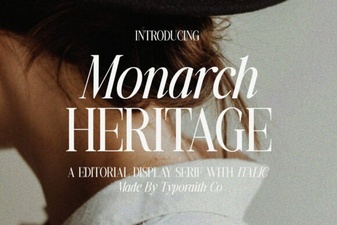 Timeless Elegance for Your Design Projects
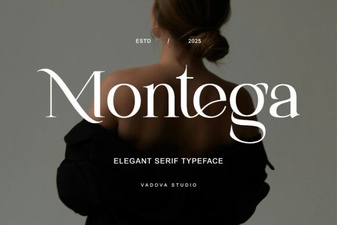 Montega Font: a Bold Display Typeface for Modern Design
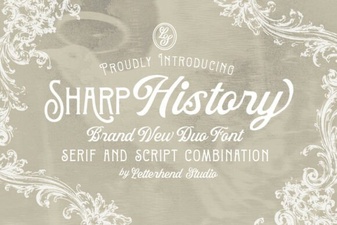 Sharp History Font: Bold Vintage Style for Modern Design
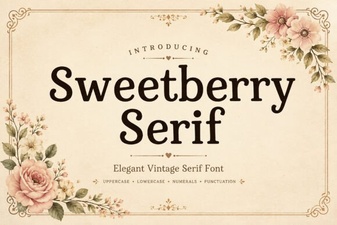 Sweetberry Serif Font for Designers
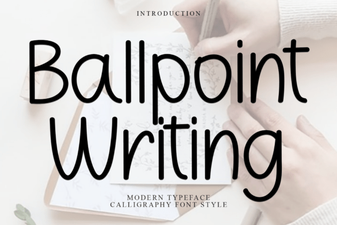 Ballpoint Writing Font: Authentic Handwritten Style for Design
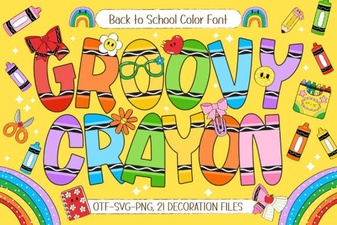 Groovy Crayon Font for Fun and Creative Design Projects